
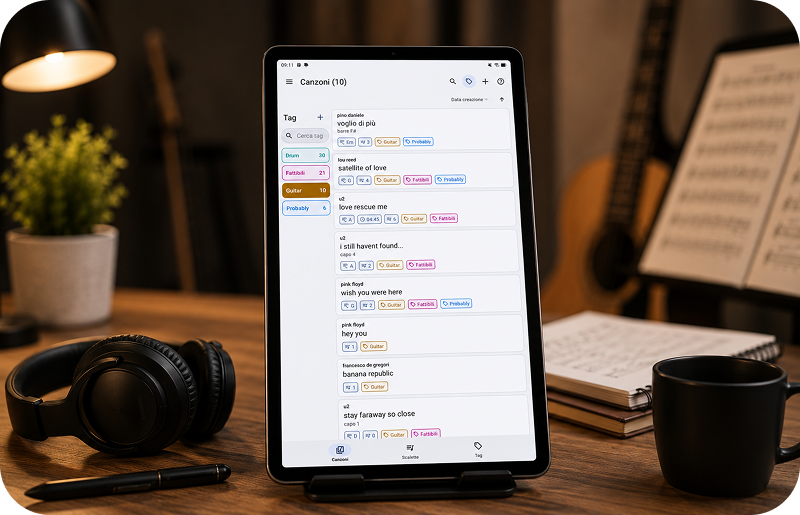
Why organize digital sheet music?
A digital music library can quickly become difficult to manage if PDF scores, scanned files and downloaded music are stored in different folders without a clear structure.
Organizing your sheet music helps you find the right score faster, prepare rehearsals more easily and keep your repertoire ready when you need it.
Manage your PDF score library
GoScore is designed to help musicians keep their digital scores in one place, instead of searching through generic folders or file managers.
- Organize PDF sheet music on Android
- Keep scanned paper scores together with downloaded PDFs
- Prepare music for practice, lessons and rehearsals
- Use annotations and markings on your scores
- Create setlists for concerts and live performance
Read and organize PDF sheet music
A good digital music workflow starts with a reliable way to read PDF scores on your Android tablet or phone.
Learn more about using a PDF sheet music reader for Android.
Add scanned paper scores to your library
If you still have printed sheet music, you can scan it, convert it to PDF and keep it together with the rest of your digital repertoire.
Read more about how to scan sheet music and convert it to PDF.
Annotate your digital scores
Notes, highlights and markings are part of many musicians’ daily workflow. Keeping annotations connected to your digital scores makes practice and performance easier.
Discover how to annotate sheet music on Android.
Create setlists for rehearsals and live performance
Once your music library is organized, you can prepare groups of songs or pieces for rehearsals, lessons, concerts and gigs.
Learn how to manage setlists for musicians.
Use a Bluetooth pedal with organized scores
For live performance, many musicians combine an organized PDF library with a Bluetooth page turner pedal to move through scores hands-free.
Read more about using a Bluetooth page turner pedal with Android sheet music.
Find new PDF sheet music online
You can expand your digital library with legal PDF scores from public domain resources, official publishers and authorized online platforms.
Read the guide about how to search PDF sheet music online or try the sheet music PDF search engine.
GoScore: your digital sheet music organizer
GoScore is an Android app created for musicians who want a simple way to read, organize and use PDF sheet music every day.
Whether you are studying, teaching, rehearsing or performing live, GoScore helps you keep your scores organized and ready to use.
Discover all features of GoScore for Android.
Conclusion
Organizing digital sheet music makes your practice sessions, rehearsals and performances more efficient.
With GoScore, you can manage PDF scores, scanned music, annotations and setlists directly on your Android tablet or phone.